
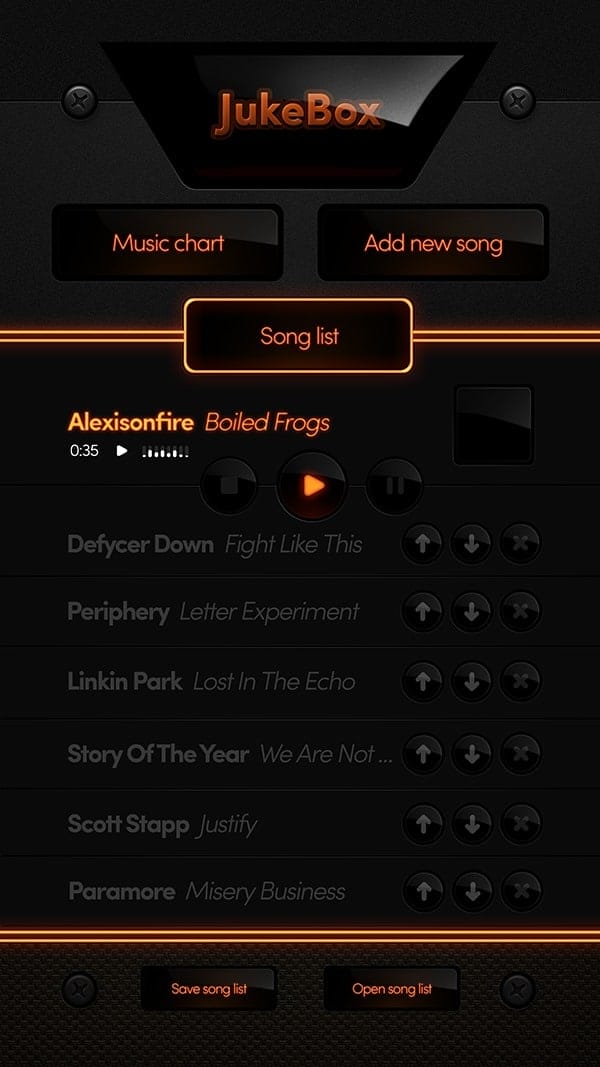


Step 65
Next type some song name, rightlclick on that text layer (in layers palette) and select Paste Layer Styles again.

Step 66
What we need now is a rounded play / stop / pause button. In order to make it grab Ellipse Tool (U) and draw a perfect circle. Make sure the shape layer is white and set the Feather to 2,8px.

Next create another circle (you can duplicate the first one but remember to make the properties values default). Set the color to black.

Duplicate the black shape 2 times now (so you get 3 black circles). And resize these 2 new duplicates a bit down. Change the top ones color to .

While you’re on the red shape layer, hit Ctrl+Alt+G for clipping mask. Then add a layer mask and using soft black brush erase the top right area (so you get only a touch of red light on the bottom).
Then use Pen Tool (P) and draw a play symbol shape.

Select the play shape, rightclick on it and pick Paste Layer Styles again. Use clipping mask (Ctrl+Alt+G).

Now go back to one of the buttons you made earlier, duplicate the gloss layer and drag it to our play button. Use clipping mask (Ctrl+Alt+G) to make it bounded by the inner black circle.

Then hold Ctrl and rightclick on the black shape layer’s thumbnail. When the selection appears, rightclick and select Stroke. Pick 1 px stroke and inside the selection.

Use Eraser Tool (E) and erase the bottom line of the stroke as indicated. You might also lower the opacity of that stroke a bit.

Now got to the white circle that we made in the beginning of this step, add a layer mask to it and using soft black brush erase the top part of the white so that the bottom left gets a nice edge light.

Step 67
Duplicate the play button 2 times (Ctrl+J), but get rid of the color shape layer and change the symbol in the center. Use Pen Tool (P) or Rounded Rectangle Tool (U) to do this.

Step 68
Duplicate one of the black and white round buttons and simply change the symbol inside, everything else stays the same. Again Pen Tool (P) or Rounded Rectangle Tool (U) to do this. You can also use Custom Shape Tool (U) and find already created shape to fit in your button.


