Skip to content
Level
Advanced
Time
1 h+
Steps
51 steps51
dance49a
dance49b

Step 50

I used Hue/Saturation to correct the color of some leaves on the right of the ground and add more cyan to the scene:

dance50

On this layer mask use a soft black brush to erase the parts we don’t want to be affected in this step:

dance50a
dance50b

Step 51

Final step: Make a new layer with the same settings in the step 33 but uncheck Clipping Mask option. Use the Dodge Tool to brighten the trees on the left edge as they need more light.

dance51
dance51a

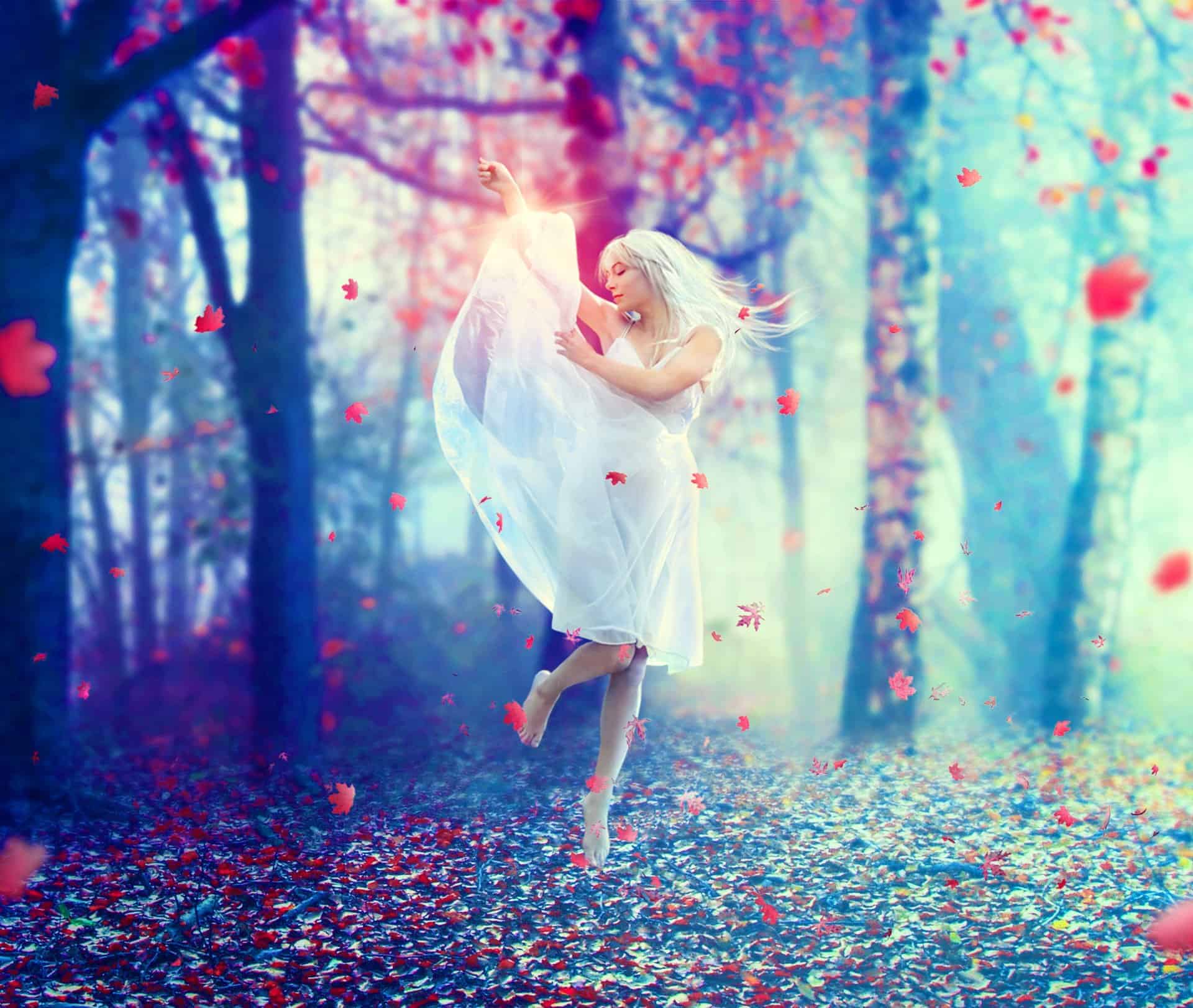
Final Results

dance51-final[1]

Download the PSD

Download

Tutorial by Jenny Le

Thank you for reading this tutorial, I hope that you enjoyed it. If you want to view my other arts and tutorials you can follow me on Facebookor look at my Deviantart page .

– Jenny

End of tutorial

24 comments on Create a Photo Manipulation of an Emotional Dancer in a Forest

24 responses to “Create a Photo Manipulation of an Emotional Dancer in a Forest”

  1. Minnie Avatar

    The color choices are spectacular!! Great JOB!

  2. SELVA Avatar

    NICE AND GREATE TUTORIAL

  3.  Avatar

    NICE GREAT EXPLAINE THE TUTORIAL

  4. Debbie Avatar

    I’m only new to composites and just came across this by a fluke. Just what I was looking for to learn and practice.
    Thanks so much…

  5.  Avatar
    Anonymous

    hi!could you tell me how to extract a model from its original photo?

  6. CM Avatar

    I like this because it shows skills and it shows emotion

  7. Irina Avatar

    It’s my creation http://j-p-g.net/if/2015/08/13/0540766001439480057.jpg
    Thanks for this divine lesson.It’s a miracle

  8. irina Avatar

    The most amazing lesson!!!!! better seen.Thank you for this fab ripping tutorial

  9.  Avatar

    Amazing Tip i like your steps

  10. Trang Avatar

    Thank!!!

  11.  Avatar

    Thanks. Your tutorial is great as well as the other is. Keep going. But you didn’t say how you removed the model from it’s original background!!!!

  12. Maidul Islam Avatar

    Amazing. . Very nice,

  13. Maidul Islam Avatar

    A very smart approach to explain the things, Ilike your step by step tutorial.

  14. Mireille D Avatar

    Thank you for this great achievement and tutorial that I had fun to be completed in 2 different versions:
    http://cartes-mireilled.eklablog.com/photomontage-scene-de-foret-en-automne-a109215440

  15. Nayan Chowdhury Avatar

    Emotional model and emotional background scenery very pretty with tutorial.

  16. Rorisang Avatar

    Wow , very inspiring Shows that I still have a long way to go Thanks though for sharing your brilliant work

  17. AmikVey Avatar

    very good

  18. Gytis Avatar

    I will use this one for my girl photo.

  19. Jorge Flores Avatar
    Jorge Flores

    Beautiful work. Thanks so much for sharing.

  20. Enamul Kabir Sarker Avatar
    Enamul Kabir Sarker

    I am highly inspired by your tutorials.As a learner,I found it very helpful.Thank you very much.

  21. Thiru Kumaran Avatar
    Thiru Kumaran

    Looks like something I should try now. Thank you for the step by step Tutorial. I’ve book marked your post. :) Keep Going!!!

  22. Ramay Avatar

    thanks for your tutorial, I really learned a lot

Leave a Reply

Comments 24

Create a Photo Manipulation of an Emotional Dancer in a Forest

Discover more from Photoshop Tutorials

Subscribe now to keep reading and get access to the full archive.

Continue reading