

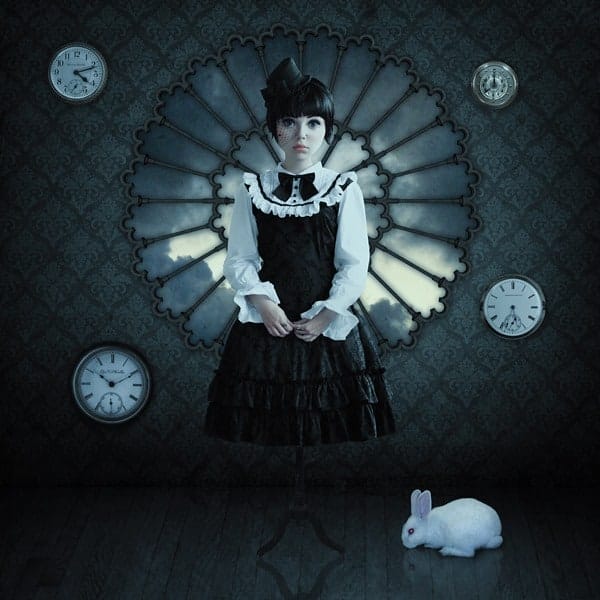
Final Result

Tutorial by Siiri Kumari
 I hope you liked it!
– Siiri Kumari
End of tutorial

Published
I hope you liked it!
– Siiri Kumari
End of tutorial

Siiri your artwork is beautiful

Great tutorial but the problem is i cannot find the texture source :/ the link is dead

Thanks a lot , its amazing tut

Thanks For Tutorial :D

nice ………
Incredible work man!go on.

hello
thank you so much for the tutorial :)

Nice tutorial, had fun with this one. Here’s my version.
http://deathbykuvasz.deviantart.com/art/Playing-with-Dolls-410491205

I try it.Good work but something missing.Thanx you
http://r1310.hizliresim.com/1g/k/tp153.jpg

Where do I get the wallpaper tile from?

thanks for tutorial
Thanks for tutorial:D!

Nice tuto very useful and well detailled. Thanks a lot. Hope you ‘ll post a new one to enhance our skill !!
Most links weren’t there for me to barely get started.
really like it!!
Thank you for the tutorial !!!! I love it !!!
Complicated stuff man

thanks for tutorial

It’s brand new tutorial…where is stock images. 3 of them has been deleted.
Click on the alternative link.
But please stop using deviantart and unrepeatable websites for stock. I especially hate deviantart because of the outlandish rules some providers set.

Hi
little unsure on how to achieve final step 50, I’m not sure if it is because i am using CS5 or anything??? what should i be doing to change the colour to the blue ?? where can i find it ? it was the part i was looking forward to doing :( awesome tutorial tho :)
Hi, Go to Image / Adjustments / Selective colour :-)
Good!!’

Bonjour ;Merci beaucoup pour votre tutoriel qui me plait
Mes un peu difficile pour moi.Je compte prendre toute ou une parti du tutoriel pour me faire la main et surtout pour mon inspiration !! Un grand MERCI pour votre Aide.
Je vous souhaite une bonne journée .
Dan

Thx for tutorials

Muy interesante, me gusta. Gracias por compartir
Thanx for share
Amazing tutorial Siiri! Thanks for he share. Oh and link to dress for is dead any alternative for that?
Google image search “coat rack”

Congratulations! :D
It’s not so complicated effect, but so interesting and useful!


